EAM Futures Indicator
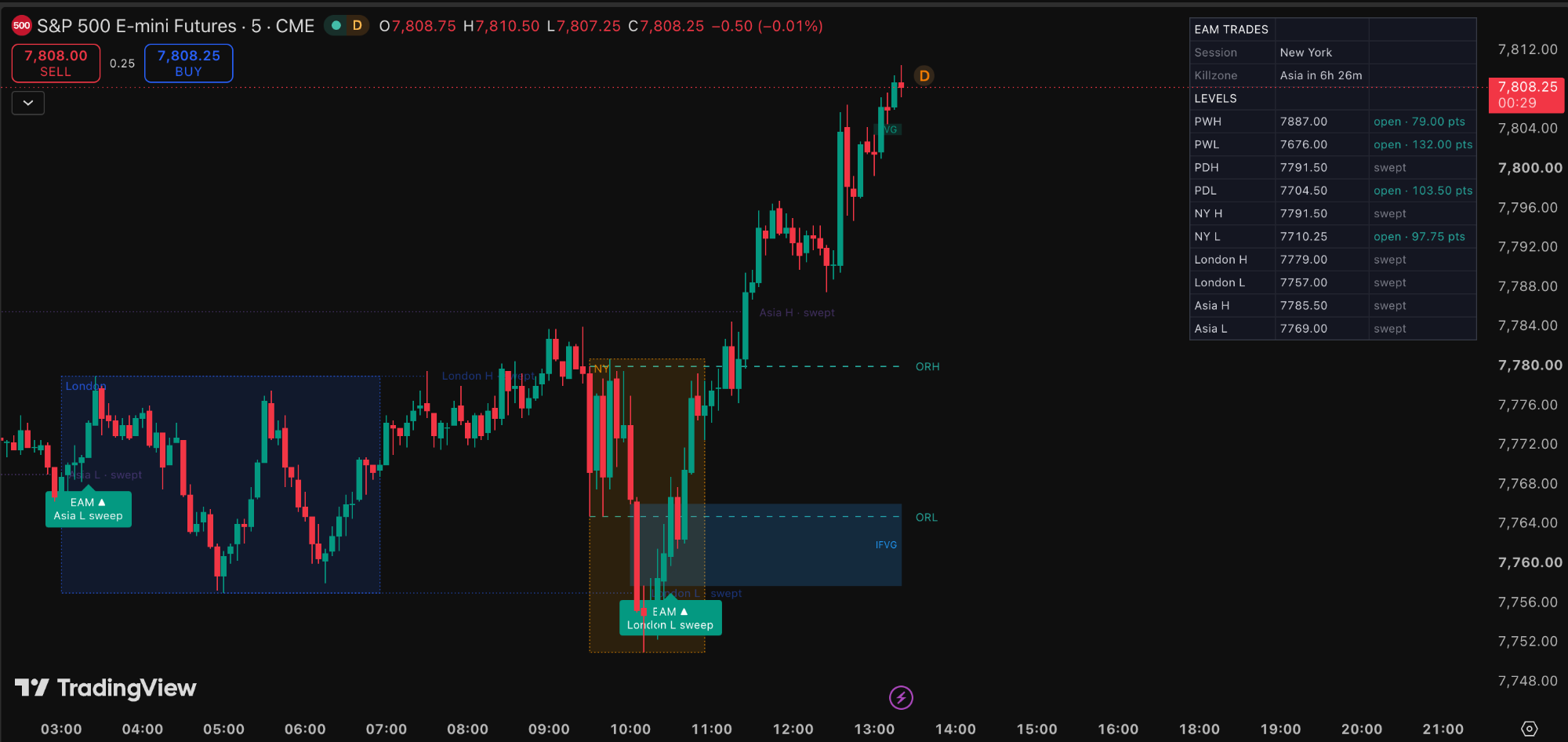
Maps session liquidity, tracks sweeps, draws killzones and fair value gaps, and flags EAM setups on your futures chart.
Features
Session liquidity
Asia, London and New York session highs and lows, marked as liquidity and extended until price sweeps them.
Previous day and week levels
Previous day and previous week highs and lows plotted on the chart.
Sweep detection
Levels change style and are labeled "swept" once taken, with alerts.
Killzone boxes
Boxes for Asia, London and NY AM, adjusted automatically for daylight saving.
FVGs and inverse FVGs
Fair value gaps in green (bullish) and red (bearish), with inverse FVGs in blue.
EAM setup markers
Flags a liquidity sweep followed by an FVG or IFVG in the opposite direction, inside a killzone.
NY opening range
The New York opening range marked on your chart.
Dashboard
Current session, killzone countdown and the status of every level in one panel.
Built for futures
NQ, ES, YM, GC and their micros.
How access works
- STEP 1Get it at launch
Checkout opens on Whop on November 5th.
- STEP 2Enter your TradingView username
Use your exact username. A typo means we cannot add you.
- STEP 3Get added to the invite-only script
Access is usually granted within [X hours].
- STEP 4Find it in TradingView
Indicators → Invite-only scripts.
Launch price for early members. Cancel anytime.
Launching November 5th
Requires a TradingView account. Educational tool, not financial advice.